Is there any way to read an Excel File using Javascript?
Yes, there is a way to read the file in CSV format which is similar to Excel. And this method works 100%.
First, let's see what is a CSV?
A CSV (comma-separated values) file is a text file that has a specific format that allows data to be saved in a table structured format.
This is how a .csv file looks when you open it.

This is how a .csv file looks when you open it in VS Code.

Note that all the values are separated by commas.
Ok enough of the Intro, now let's see how to read a CSV file using Javascript.
Firstly we need Papa parse to make our job done easy. See the official link for more information.
Step 1.
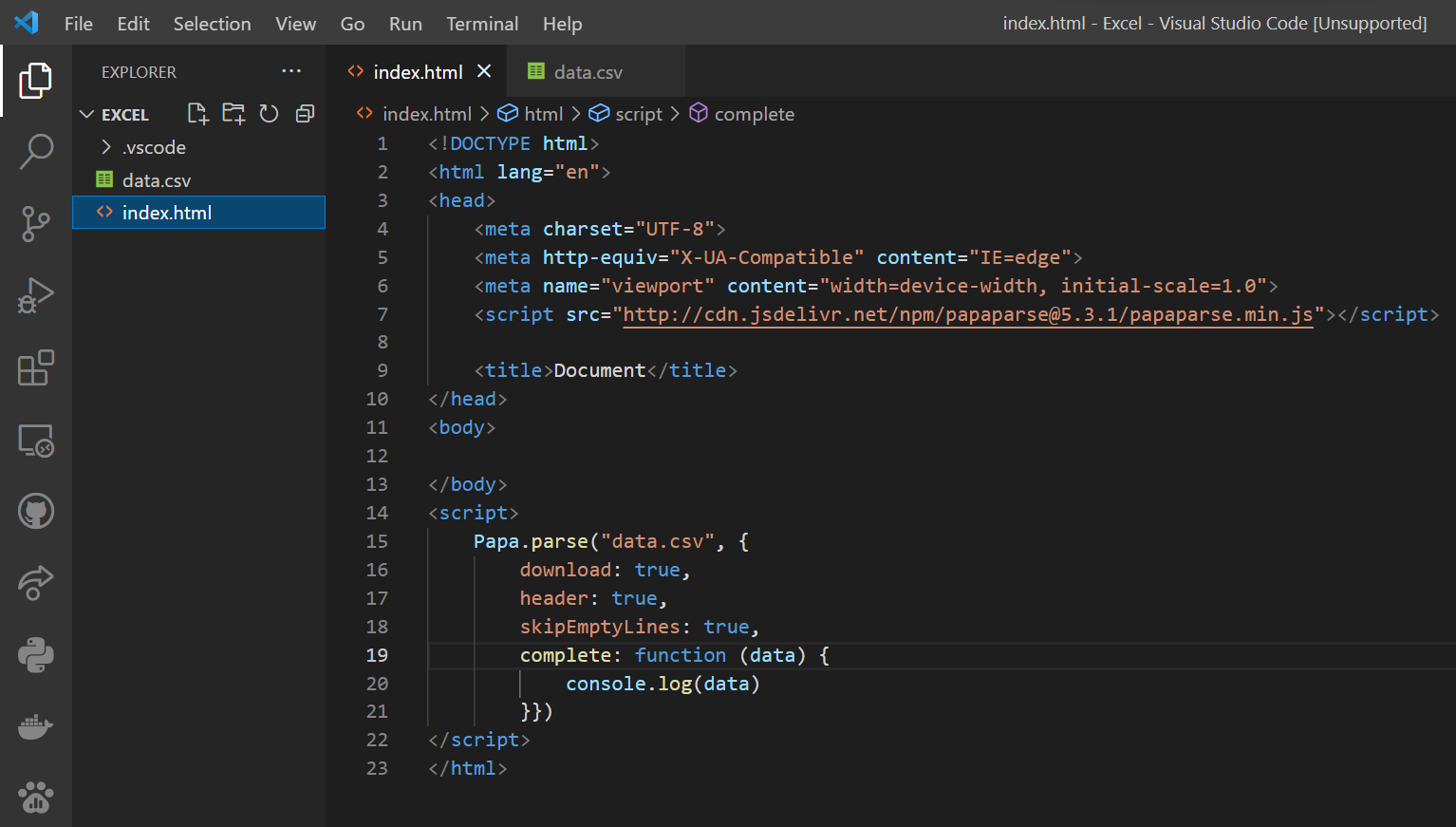
<script src="http://cdn.jsdelivr.net/npm/papaparse@5.3.1/papaparse.min.js"></script>
Copy and paste the above script inside the head tag in your HTML file.

Step 2.
Make your own .csv file or download this sample data file and paste it to your project directory.
Step 3.
Paste this in the HTML page inside the script tag.
<script>
Papa.parse("data.csv", {
download: true, header: true, skipEmptyLines: true,
complete: function (data) {
console.log(data)
}})
</script>
Step 4.
Open the index.html file in the browser and open the console. To open the console press F12 and at the top, you will see a console that displays all the elements in the csv file


No comments:
Post a Comment